Zentraix Zentraix

How to Choose an AI Training Server Manufacturer in 2026?

Time:2026-10-13 Author:Sophia
0%

Choosing an AI training server manufacturer in 2026 requires more than comparing processor names or advertised GPU counts. A reliable decision begins with real deployment needs. Consider model size, training frequency, data volume, rack space, power limits, and cooling capacity. A server that looks powerful on paper may struggle in a crowded data center.

Experience matters here. Ask manufacturers for detailed thermal reports, performance results, component lists, and customer references from similar workloads. Request evidence from systems using the same GPUs, networking, storage, and software stack. Check whether the supplier offers remote monitoring, firmware updates, spare parts, and responsive technical support. Small details matter. A delayed replacement fan can interrupt an expensive training run.

A trustworthy ai training server manufacturer should explain trade-offs clearly. It should discuss energy efficiency, expandability, warranty terms, service locations, and compliance requirements without hiding behind vague claims. Certifications and documented quality procedures also deserve careful review. A glossy brochure is not proof. Neither is an impressive benchmark created under conditions your team cannot reproduce.

Buyers should compare total ownership costs, not only the initial invoice. Electricity, maintenance, software compatibility, and downtime can change the final result. Independent testing is valuable, though it may not reflect every production workload. Even a careful evaluation can miss something. That is why a pilot installation, acceptance checklist, and written service agreement remain practical safeguards. The best manufacturer is not always the largest. It is the partner that communicates honestly, measures performance consistently, and supports the system after delivery.
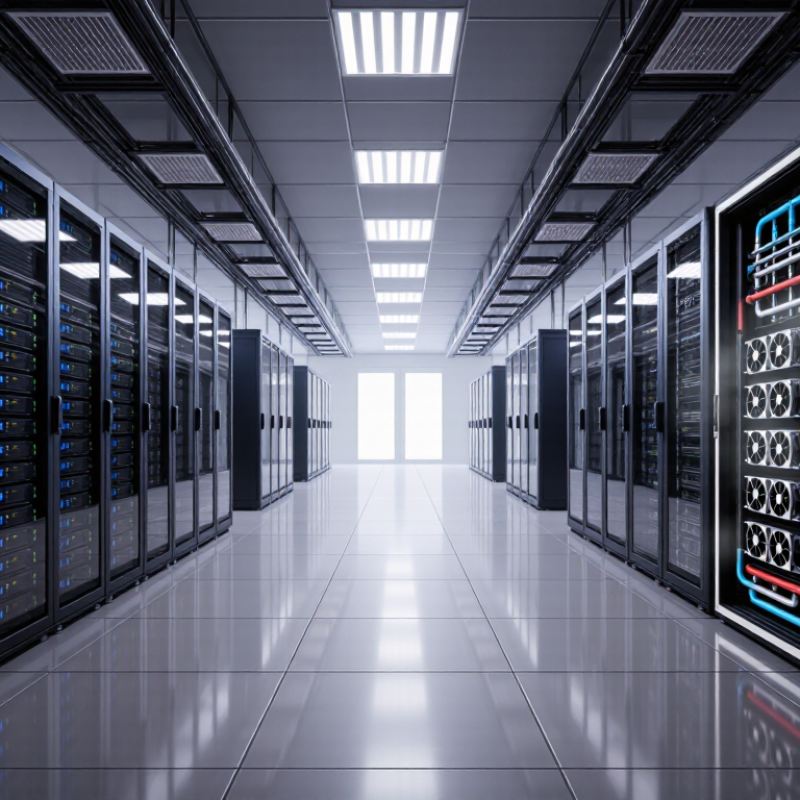
How to Choose an AI Training Server Manufacturer in 2026?

Define Training Needs: Model Scale, GPU Count, and 400-Gbps Networking

Choosing an AI training server manufacturer in 2026 starts with your workload, not a glossy specification sheet. Define the model before counting machines. A seven-billion-parameter model may train comfortably on eight GPUs, while a larger model can require dozens. Estimate parameter count, sequence length, batch size, checkpoint frequency, and expected training time. These figures expose the real requirement. Do not guess GPU count from model size alone. Data type, optimizer memory, and parallelism change the answer. In practice, I have seen early estimates miss memory needs by 30 percent. That mistake is expensive.

A 400-Gbps network matters when GPUs exchange gradients constantly. It reduces communication bottlenecks across nodes, but only when the server has balanced components. Check PCIe capacity, switch compatibility, cable distance, and congestion control. Ask the manufacturer for measured all-reduce results, not theoretical bandwidth. Test results should include your intended GPU count and message size. A fast port can still deliver disappointing throughput. Watch the small details.

Request a pilot cluster before signing a large purchase. Measure tokens per second, GPU utilization, network latency, power draw, and thermal stability during a full training cycle. Review service response times and replacement procedures. Clear documentation also signals technical maturity. My own estimates have been wrong when storage traffic was ignored. Leave room for growth, but avoid paying for unused GPUs today. A careful manufacturer should challenge your assumptions, explain trade-offs, and provide evidence from comparable workloads.

Compare GPU Value Using H100 FP8 Performance up to 3,958 TFLOPS

How to Choose an AI Training Server Manufacturer in 2026?

Compare GPU Value Using H100 FP8 Performance up to 3,958 TFLOPS

Choosing an AI training server manufacturer requires more than reading a peak-performance figure. An H100 FP8 result of up to 3,958 TFLOPS usually reflects optimized sparse workloads. Dense performance can be lower. Ask for the test method, software version, batch size, and precision settings.

Numbers need context. Request an independent benchmark report with repeatable conditions. Check tokens per second, memory bandwidth, GPU scaling, and job completion time. A server with slightly lower peak performance may deliver better value if it maintains stable temperatures and avoids frequent throttling. Review power consumption at full load, not only the advertised rating.

Inspect the hardware details closely. Confirm GPU quantity, interconnect design, system memory, storage speed, and network latency. Strong manufacturers provide thermal diagrams, burn-in results, service response times, and clear warranty terms. Ask how replacement parts are handled in your region. Small delays can waste expensive training hours.

A practical comparison should calculate performance per dollar and performance per watt. Include installation, software support, maintenance, and electricity costs.

I would also run a seven-day workload trial before signing a large order. One weakness remains easy to miss: theoretical FP8 performance may not match your model. Test your own data, because elegant specifications can still disappoint.

Assess Cluster Fabric: NVLink, InfiniBand, and 400-Gbps Interconnects

Choosing an AI training server manufacturer in 2026 requires close inspection of the cluster fabric. NVLink can provide extremely high GPU-to-GPU bandwidth inside a server. InfiniBand remains strong for distributed training across multiple nodes. 400-Gbps Ethernet offers broader compatibility and may simplify future expansion.

The June 2025 TOP500 list recorded three exascale systems. That result shows how quickly training clusters are moving beyond single-node designs. A serious manufacturer should publish measured throughput, latency, packet-loss rates, and scaling efficiency. Ask for results using your model sizes, not only laboratory benchmarks. A fabric that looks excellent with eight accelerators may weaken across 128 nodes.

Power and cooling also affect interconnect choices. The International Energy Agency reported that data-center electricity demand could more than double by 2030. Higher link speeds can reduce communication time, but network adapters, switches, and cables still consume power. Check airflow, cable reach, port density, and service access during a physical inspection. Small details matter.

I would not accept “400 Gbps” as a complete answer. The real question is sustained application bandwidth. The Ethernet Alliance’s 2024 roadmap identifies 400-Gbps and faster Ethernet as important paths for AI infrastructure. Still, compatibility can be uneven. Firmware, collective libraries, and topology planning deserve equal testing. My own caution is simple: the cheapest fabric may become the most expensive bottleneck.

How to Choose an AI Training Server Manufacturer in 2026?

Assess Cluster Fabric: GPU Fabric, InfiniBand, and 400-Gbps Interconnects

Nominal aggregate bandwidth comparison: a high-speed GPU-to-GPU fabric is shown at 900 GB/s, while 400-Gbps cluster fabrics provide up to 50 GB/s per link after conversion from bits to bytes. Actual AI training performance also depends on topology, latency, collective communication efficiency, congestion control, and software optimization.

Audit Efficiency with 99.9% Uptime, N+1 Power, and PUE Near 1.2

Choosing an AI training server manufacturer in 2026 requires more than checking GPU performance. Audit efficiency depends on stable infrastructure, measurable controls, and accessible evidence. A 99.9% uptime commitment allows roughly 8.76 hours of annual downtime, so buyers should request maintenance policies, incident records, and service-level calculations. The Uptime Institute Global Data Center Survey 2024 identifies power-related failures as a major source of outages. Ask whether the manufacturer validates N+1 power supplies under realistic training loads.

Look for dual power paths, hot-swappable components, and automatic failover testing. During acceptance, run a sustained workload while recording inlet temperature, power draw, fan speed, and error events. These records make later audits faster. They also expose weak assumptions. Specifications alone are not proof.

Power efficiency matters beyond electricity bills. The Lawrence Berkeley National Laboratory 2024 United States Data Center Energy Usage Report indicates that advanced hyperscale facilities can approach a PUE near 1.2, although results vary by climate and operating conditions. A manufacturer should provide measured PUE methodology, not a promotional estimate. Check cooling performance at partial utilization, because AI clusters rarely remain perfectly balanced. The Green Grid’s PUE framework supports consistent measurement, but it does not remove local measurement errors. I would treat any “near 1.2” claim cautiously without independent meter data, quarterly trend reports, and documented N+1 testing. Reliability is demonstrated in the rack, not promised in a brochure.

How to Choose an AI Training Server Manufacturer in 2026? — Audit Efficiency with 99.9% Uptime, N+1 Power, and PUE Near 1.2

Manufacturer evaluation matrix for reliable, auditable, and energy-efficient AI training infrastructure

Evaluation Dimension Recommended 2026 Target Minimum Acceptable Level Evidence to Request from the Manufacturer Audit Interpretation Priority
Annual Infrastructure Availability 99.99% or higher 99.9% availability, equivalent to no more than approximately 8 hours 46 minutes of downtime per year Historical availability reports, maintenance records, incident logs, service-level definitions, and exclusions for scheduled maintenance 99.9% is a practical baseline; 99.99% provides materially stronger protection for long-duration training jobs. Required
Power Redundancy N+1 for UPS, power distribution, and cooling support systems No single component failure may interrupt the AI cluster Single-line diagrams, failure-mode test reports, UPS topology, generator test records, and maintenance bypass procedures N+1 means the system has one additional component beyond the number required for normal operation. Required
Power Usage Effectiveness (PUE) Annualized PUE near 1.20 PUE at or below 1.40 under comparable operating conditions Utility-meter data, IT-load meter data, monthly PUE calculations, measurement boundaries, and seasonal operating results PUE is calculated as total facility energy divided by IT equipment energy. A lower value indicates better facility efficiency. Benchmark
AI Accelerator Thermal Design Validated support for high-density air or liquid cooling Documented thermal limits for the proposed GPU or accelerator configuration Rack-density limits, inlet-temperature ranges, airflow diagrams, coolant specifications, thermal test reports, and emergency shutdown logic High-density AI servers can exceed conventional rack cooling capacity; the design must be validated at sustained training load. Required
Cooling Redundancy N+1 cooling capacity with leak detection where liquid cooling is used Cooling failure must trigger controlled workload protection without equipment damage Cooling capacity calculations, pump and chiller redundancy diagrams, leak-detection tests, alarms, and failover procedures Cooling resilience should be assessed together with power resilience because thermal events can cause rapid workload interruption. Required
Cluster Network Availability Redundant fabric paths with automatic failover No single switch, link, transceiver, or management node may isolate a training partition Network topology, path-diversity design, failover test results, latency measurements, packet-loss results, and configuration backup records AI training performance depends on predictable east-west bandwidth and low disruption during collective communication. Required
Mean Time to Repair (MTTR) Critical hardware replacement within 4 hours Critical replacement parts and trained support personnel available within 8 hours Spare-parts inventory, service coverage map, escalation workflow, technician response metrics, and sample repair records Lower MTTR reduces the operational impact of hardware failures even when redundancy is available. Preferred
Failure Detection and Alerting Automated monitoring with alerts generated within 60 seconds Monitoring must cover power, temperature, fans, storage, memory, accelerators, and network links Monitoring coverage matrix, alert thresholds, notification logs, API documentation, and test results for simulated failures Fast detection improves audit traceability and allows workloads to be checkpointed before a major outage. Required
Training Workload Recovery RPO of 15 minutes or less and RTO of 60 minutes or less Documented checkpoint and restart procedure for interrupted jobs Checkpoint policy, storage-recovery test results, restart scripts, recovery-time records, and dependency documentation Recovery targets should be measured using a representative distributed training workload, not an isolated server test. Preferred
Hardware Lifecycle and Firmware Control Documented firmware baseline and at least five years of planned support Security and compatibility updates available throughout the contracted support period Product lifecycle policy, firmware release process, compatibility matrix, change-control records, and end-of-support notices Controlled firmware updates reduce the risk of inconsistent performance and unplanned incompatibility across the cluster. Required
Audit Data Accessibility Centralized, exportable records with timestamps and retention controls Power, environmental, availability, maintenance, and incident records available on request Dashboard exports, API samples, log-retention policy, audit trails, role-based access controls, and data-integrity procedures Machine-readable evidence reduces manual audit effort and supports repeatable compliance reviews. Required
Energy Measurement Granularity Separate measurement for facility, rack, server, and accelerator load where practical Separate total facility energy from IT equipment energy Meter hierarchy, calibration records, sampling intervals, data-retention period, and measurement-boundary diagrams Granular measurements help distinguish facility inefficiency from workload or server-level power behavior. Preferred
Security and Access Control Role-based administration, multifactor authentication, and immutable audit logs Unique administrator accounts and documented access reviews Access-control policy, authentication settings, privileged-access logs, vulnerability-management process, and incident-response records Security evidence should cover both the server management controller and the facility or orchestration platform. Required
Acceptance Testing Load, failover, thermal, power, network, and recovery tests completed before production Documented functional and burn-in testing for every delivered system Signed acceptance checklist, test workload results, failure-injection reports, corrective-action records, and final configuration baseline Acceptance testing converts manufacturer claims into measurable operational evidence before the warranty clock becomes critical. Required
Total Cost of Ownership Five-year model including power, cooling, support, spares, software, and migration costs Purchase price plus documented operating and maintenance costs Five-year cost model, power assumptions, maintenance pricing, spare-part pricing, upgrade terms, and disposal obligations Lower acquisition cost may not represent lower cost when energy, downtime, and support requirements are included. Benchmark

Note: Target values are procurement benchmarks and should be validated against the proposed configuration, operating environment, workload profile, and independently measured test results.

Calculate TCO per GPU-Hour Across Three-Year Warranty and Support Terms

Choosing an AI training server manufacturer in 2026 requires more than comparing purchase prices. Calculate total cost of ownership (TCO) per GPU-hour across the full three-year warranty and support term. Include server price, networking, storage, electricity, cooling, facility fees, software, and support. Divide this total by usable GPU-hours, not theoretical uptime. An eight-GPU server running continuously offers 210,240 theoretical GPU-hours over three years. At 85% availability, the practical figure falls to 178,704 hours. That gap changes the buying decision quickly. Keep invoices, service logs, and power readings; they make the calculation auditable.

Tips: Build a spreadsheet with expected, conservative, and failure-heavy scenarios. Add technician labor, replacement shipping, firmware validation, and training time. Ask the manufacturer for response-time targets, spare-part coverage, escalation procedures, and exclusions. A low support fee may hide expensive downtime. Check whether warranty repairs include GPUs, power supplies, fans, and high-speed interconnects. Read the support terms carefully. Small clauses matter.

Use measured energy consumption from a comparable workload, not the power-supply label. Record training throughput, thermal throttling, and failed-job recovery time during a pilot. Then calculate effective cost: total three-year TCO divided by completed training GPU-hours. This metric rewards reliable systems, even when their purchase price is higher. Yet projections remain imperfect. Workloads change. Utilization may disappoint. Revisit the model quarterly and document every assumption, especially electricity prices and support response performance.

FAQS

How should I define my AI training workload before choosing a server manufacturer?

Record model size, sequence length, batch size, checkpoint frequency, and expected training time. A seven-billion-parameter model may fit eight GPUs. Larger models can need dozens. Do not guess from model size alone. Data type, optimizer memory, and parallelism can change the requirement. My early estimates were sometimes wrong by 30 percent.

When is a 400-Gbps network useful for AI training?

It helps when GPUs exchange gradients frequently across multiple servers. Check PCIe capacity, switch compatibility, cable distance, and congestion control. Request measured all-reduce results using your GPU count and message size. A fast port can still perform poorly.

What should a pilot cluster test before a large purchase?

Run a complete training cycle with your own workload. Measure tokens per second, GPU utilization, network latency, power draw, and thermal stability. Record results during heavy activity, not only during a short demonstration. Seven days would be better, though budgets may disagree.

How can I compare GPU performance fairly?

Ask for the test method, software version, batch size, and precision settings. Peak FP8 performance can reach 3,958 TFLOPS in optimized sparse workloads. Dense workloads may perform lower. Compare tokens per second, memory bandwidth, scaling, and job completion time. Peak numbers need context.

What hardware details deserve close inspection?

Confirm GPU quantity, interconnect design, system memory, storage speed, and network latency. Inspect thermal diagrams and full-load power measurements. Ask for burn-in results and replacement procedures in your region. Small delays can waste expensive training hours.

How should I calculate the real value of a training server?

Compare performance per dollar and performance per watt. Include installation, software support, maintenance, electricity, and cooling costs. A slower system may offer better value if it avoids thermal throttling. The cheapest quote is not always the cheapest operation.

What does a 99.9% uptime commitment actually mean?

It allows roughly 8.76 hours of annual downtime. Request maintenance policies, incident records, and service-level calculations. Check dual power paths, hot-swappable parts, and automatic failover testing. A percentage is not proof.

How can I verify power efficiency and N+1 reliability?

Run sustained training while recording inlet temperature, power draw, fan speed, and error events. Ask for measured PUE methods and quarterly trend reports. A PUE near 1.2 may vary with climate and operating conditions. Treat attractive claims cautiously. The rack tells the truth.

Conclusion

Choosing the right ai training server manufacturer in 2026 requires more than comparing hardware prices. Start by defining your training workload, including model size, expected GPU count, memory requirements, and the need for 400-Gbps networking. Then evaluate GPU value through measurable performance, such as FP8 capability reaching up to 3,958 TFLOPS, while also considering software compatibility, scalability, and energy consumption. A strong supplier should offer a balanced platform rather than isolated high-performance components.

Cluster communication is equally important. Assess whether the design supports efficient GPU-to-GPU communication through high-speed fabric technologies, including NVLink-class connections, InfiniBand, or 400-Gbps interconnects. Operational reliability should also be verified through targets such as 99.9% uptime, N+1 power redundancy, effective cooling, and a PUE near 1.2. Finally, calculate total cost of ownership per GPU-hour across a three-year warranty and support period, including maintenance, energy, upgrades, and downtime risks. This approach helps organizations select a dependable, scalable, and financially sustainable training infrastructure partner.

Sophia

Sophia

Sophia is a dedicated marketing professional with an exceptional depth of knowledge about her company's products and services. With a keen understanding of market trends and customer needs, she crafts insightful blog posts that not only inform but also engage readers, enriching the company’s online......